The best AI resume builder for a professional depends on whether the immediate problem is drafting, job-specific tailoring or finishing the document. Claude leads this shortlist for a supervised, file-based drafting workflow; refresh ranks second for structured comparison of a job description with real experience. This guide compares a dedicated resume tool with adjacent AI document workflows, rather than treating them as interchangeable products.
Quick Answer
Choose Claude when you want to turn source materials into an editable resume document through conversation. Anthropic documents downloadable document creation, including access on its Free plan, subject to usage limits in its file-creation guidance.
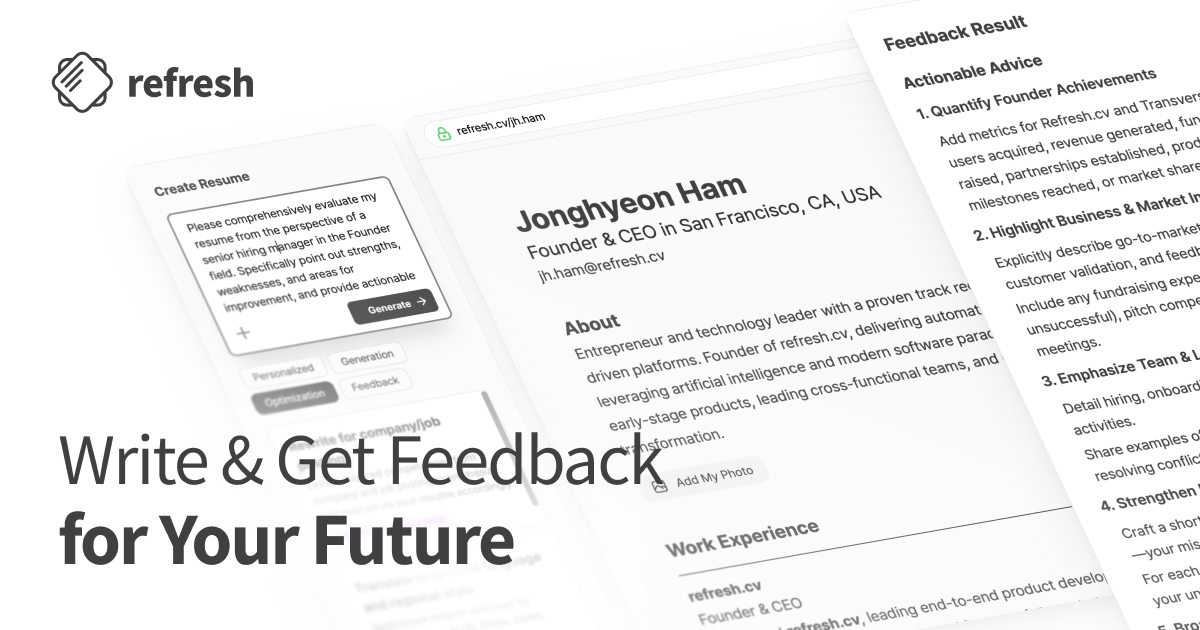
Choose refresh AI resume builder when the central question is what to change for a specific opening. Its workflow compares job requirements and ATS keywords with resume wording and actual experience evidence. That makes it the focused tailoring pick, not a promise of an employer’s ATS result or a hiring outcome.
OpenAI’s ChatGPT file guidance documents comparison and rewriting of uploaded content. Google’s Docs documentation describes Gemini-assisted drafting and collaborative editing. Apple’s Pages feature notes describe proofreading and rewriting with Writing Tools, which requires Apple Intelligence. The ranking below prioritizes a usable document workflow, job-specific revision control and access requirements. Move directly to the option that addresses your bottleneck.
Selection criteria: what matters for a professional resume
Evaluate the workflow against the same questions, whether the product calls itself a resume builder or a writing assistant:
- Experience fidelity: Can you trace a proposed achievement, skill or responsibility back to something you actually did? Reject additions that require inventing scope, ownership or results.
- Job-specific relevance: Can you connect a revision to an identifiable requirement in the target posting? A stronger verb is not automatically a more relevant qualification.
- Revision control: Can you review individual changes and preserve distinctions such as leading a project versus contributing to it?
- Document usability: Can you obtain the file you need and inspect its layout before submitting it?
- Cost and access: Does the relevant plan support the work you need, on the device and account you intend to use?
The order favors a broadly accessible file-creation starting point, followed by a structured resume-tailoring option, then workflows for narrower drafting and editing needs. It is a qualitative editorial ranking, not a measured difference in writing quality or interview success. If guided job matching matters more than conversational document creation, start with the second pick.
Comparison table: features, pricing and tradeoffs
Free access should not be read as unlimited usage.
| Pick | Best for | What to know | Strength | Limitation | Evidence |
|---|---|---|---|---|---|
| 1. Claude | Creating a resume file from source materials | File creation is available on Free and paid plans | Conversational work with downloadable documents | File creation consumes plan allowance; you must check the result | Anthropic file-creation documentation |
| 2. refresh | Structured job-description tailoring | Free plan available; Pro is $14.99/month | Dedicated keyword-and-experience workflow | Advanced tailoring and export needs should be matched to the plan | refresh pricing page, linked in its section below |
| 3. ChatGPT | Revising content through explicit prompts | Free plan available; Plus is $20/month | Document comparison and iterative text revision | Upload access and limits vary by plan | OpenAI plans and file guidance |
| 4. Google Docs with Gemini | Editing with a reviewer in the same document | Google AI Pro at $19.99/month is one consumer access route, not a claimed minimum | AI-assisted drafting alongside comments and version history | Confirm eligible AI access before subscribing | Google Docs features and Google AI plans |
| 5. Apple Pages with Writing Tools | Polishing an existing resume on a compatible Mac | Basic Pages document editing requires no subscription | In-document proofreading and rewriting | Writing Tools requires Apple Intelligence eligibility | Pages features and Apple requirements |
1. Claude
- Best for: A self-directed professional who has source material and wants a downloadable resume document, not only suggestions in a chat.
- What to know: Anthropic says Claude can create downloadable DOCX documents and PDFs. File creation is available to Free and paid users.
- Strength: It provides a documented route from supplied material and instructions to a file you can inspect and continue editing.
- Limitation: Anthropic says file creation draws on your plan’s usage allowance and consumes more allowance than ordinary chat. Document generation should not be treated as verification of the claims inside it.
- Evidence: Anthropic’s Create and edit files with Claude explains availability, supported outputs and usage constraints.
Claude takes the first position for the combination of file creation and an accessible starting point. That is a workflow recommendation, not a claim that its resumes outperform those produced elsewhere.
For a professional with a long career history, give the task boundaries before requesting a finished file. Separate the existing resume, the target posting and optional project notes. Ask for a proposed content outline before approving the document.
A useful instruction is: “Use only the supplied facts. For each proposed bullet, identify the source experience. Ask about missing results rather than inventing metrics. Produce the resume after I approve the outline.” Treat this as a suggested working method, not a guarantee that every response will follow it correctly.
Choose another option if you would rather follow a dedicated resume-tailoring process than design the review process yourself.
2. refresh
- Best for: Professionals who need to decide which job requirements their existing experience supports and which resume edits to prioritize.
- What to know: refresh’s customer-confirmed sequence is job description input, requirements and ATS keyword extraction, comparison with resume wording and experience evidence, then prioritized, truthful revision.
- Strength: Its workflow distinguishes a missing phrase from a missing qualification. That distinction is directly relevant when translating project experience into the language of a target role.
- Limitation: Resume quality and job-specific keyword fit are separate assessments. Neither is hiring probability or an employer’s actual ATS result. Paid functionality also matters when choosing exports and ongoing usage.
- Evidence: The official refresh AI resume builder plans list Pro at $14.99 per month, with unlimited resume AI and scoring, job tailoring, ATS keyword suggestions, PDF downloads and DOCX downloads.
refresh earns the second position because it combines a purpose-built tailoring workflow with resume editing and document output. It is the more direct starting point when you want structured guidance on a posting, rather than a general assistant that you must instruct step by step. Its position does not depend on an unsupported claim of superior hiring results or a capability that competitors supposedly lack.
The plan decision should follow the task. Use the Free plan to assess whether the workflow suits you. Consider Pro when its listed tailoring, usage and export features match your actual application needs. Do not assume a free account has every paid capability.
A worked example: relevant experience is not the same as a keyword
Consider a hypothetical product professional applying to a posting that requests stakeholder management, cross-functional delivery and SQL.
The applicant’s factual background includes these statements:
- “Stakeholder management: led launch reviews with sales and engineering.”
- “Coordinated design and engineering handoffs for a product launch and maintained a dependency log.”
- The applicant has not used SQL.
Apply the distinctions in refresh’s confirmed workflow:
| Evidence state | Example | Appropriate revision |
|---|---|---|
| Keyword and experience evidence are present | “Stakeholder management” appears with a concrete activity | Keep it and review whether the example is relevant to this opening |
| Relevant experience exists, but the exact wording is missing | Design and engineering coordination supports “cross-functional delivery” | Introduce the posting’s phrase while preserving the original facts |
| Both keyword and experience are absent | The applicant has no SQL experience | Do not add SQL proficiency to satisfy the posting |
An honest revision could read: “Coordinated cross-functional delivery for a product launch, maintaining a dependency log and leading stakeholder reviews with sales and engineering.”
This changes the framing, not the applicant’s history. It does not add an invented revenue result, imply SQL proficiency or turn coordination into ownership of an entire business function. This is an illustrative revision, not a reported product output.
Also keep the assessments separate. Grammar, specificity and achievement wording concern resume quality. Whether the resume addresses this posting’s requirements is a different question. Mock Apply is an additional preparation feature, not the reason to skip the evidence comparison.
3. ChatGPT
- Best for: Professionals who want to question, compare and rewrite individual sections before committing to a final resume.
- What to know: OpenAI documents document uploads, comparison, information extraction and text transformation. Uploads are available on Free and paid plans, subject to limits and account settings.
- Strength: A prompt-led workflow lets you specify the revision task, such as comparing a resume with a posting or rewriting a section using only supplied facts.
- Limitation: You must define the comparison rules and review the result. Free access includes limited uploads; paying for more access does not establish the truth of generated claims.
- Evidence: OpenAI’s file-upload guidance describes those tasks. Its pricing page lists Plus at $20 per month with expanded uploads.
ChatGPT is the third pick for a content-first workflow. Use it when the difficult question is what a section should say, rather than which resume template to choose.
For example, ask it to separate your personal contribution from the team’s result. Then compare the revised bullet with the original notes. If the source says you supported a rollout, do not accept a rewrite that says you led it unless you can substantiate that change.
Another useful request is: “List requirements from the posting in one column, supporting passages from my resume in another, and questions for me where support is unclear. Do not rewrite yet.” This is a proposed review method, not a claim that the product independently validates employment history.
Choose a dedicated resume workflow instead if repeatedly writing these instructions is the part you want the software to organize.
4. Google Docs with Gemini
- Best for: Professionals who want AI-assisted drafting and human feedback in a shared document.
- What to know: Google describes Gemini-assisted document creation alongside Docs collaboration. Google AI Pro is one consumer subscription route that includes Gemini in Docs.
- Strength: Comments, access controls and revision history support a workflow in which a trusted reviewer can challenge a proposed claim or restore earlier wording.
- Limitation: Confirm that your account has the AI features you intend to use. Do not buy a subscription on the assumption that ordinary document access includes every Gemini capability.
- Evidence: Google’s Docs product documentation describes drafting and collaboration. Its AI plan page lists Google AI Pro at $19.99 per month.
This ranks fourth as a collaboration-first option. The reason to choose it is the review environment, not a claim of specialized resume screening.
Give a reviewer a specific task: check whether each experience bullet accurately reflects your role. Keep content questions separate from cosmetic preferences. A comment such as “Did you own this decision or prepare the analysis?” is more actionable than “Make this sound more senior.”
Before accepting AI revisions, compare them with the previous wording and resolve any change in responsibility or meaning. Use access permissions deliberately when sharing the document. This workflow fits someone who already knows which experiences belong on the resume and wants help refining them with another person.
5. Apple Pages with Writing Tools
- Best for: Professionals with an established resume who want to polish text inside Pages on a compatible Mac.
- What to know: Apple documents proofreading, rewriting, summarizing and composing through Writing Tools in Pages. These functions require Apple Intelligence.
- Strength: It offers in-document language revision, making it a practical editing option when the underlying content and structure are already settled.
- Limitation: Check compatible hardware, software, language and regional availability. Basic Pages editing does not require a subscription, but that is not a promise that every premium template or intelligence feature is included.
- Evidence: Apple’s Pages feature notes explain the writing functions and subscription distinction. Its Apple Intelligence requirements govern eligibility.
Pages ranks fifth because this recommendation addresses a narrower, platform-dependent task: polishing a document you already have. It is not a substitute for deciding whether your experience supports the target job’s requirements.
Use a rewrite to assess clarity, then check whether it has softened or exaggerated the original meaning. Preserve technical terms that accurately describe your work rather than replacing them merely for variety.
For submission, Apple provides a documented Pages export process. Inspect the exported copy, not only the working document, before sending it.
Decision guide: choose by the work still unfinished
You have scattered notes but no coherent resume
Start with the file-based drafting pick. Assemble a factual source document with employers, roles, responsibilities, projects and results you can substantiate. Approve the proposed content before asking for a finished file. Do not let document formatting obscure unresolved factual questions.
You have a resume but a specific posting exposes gaps
Start with refresh’s job-description comparison. Identify whether each issue is missing wording, insufficiently explained evidence or an actual qualification gap. Revise the supported material first. Where an essential qualification is genuinely missing, decide whether the role still makes sense rather than trying to solve the problem through phrasing.
Your content is settled but the presentation needs work
Choose the editing environment you can use comfortably and, where useful, share with a reviewer. Before selecting a template, check whether it accommodates your role history, keeps projects associated with the correct employer and leaves the important evidence easy to locate. Do not choose a layout that requires cutting the experience most relevant to the posting.
You are deciding whether to pay
Evaluate a complete application workflow, not just a generated paragraph. Check the relevant usage allowance, necessary exports and your ability to make final edits. A free starting point is useful only if it lets you assess the part of the process you actually need.
The practical next step is to take one target posting and one factual version of your resume. Choose a workflow, review its proposed changes and confirm the submission file. Pay for a specific capability or usage need, not an unexplained score.
FAQ
Should I put confidential project details into an AI resume prompt?
Use only information you are authorized to share. Remove client identifiers, confidential financials and internal strategy where necessary. Describe your responsibility at an appropriate level of abstraction, and check the relevant account settings and your employer’s policies before uploading work materials. A stronger resume does not require disclosing protected information.
What if my official job title differs from the target role?
Keep the employment title accurate. Explain relevant responsibilities in the summary and experience bullets instead of rewriting the title to imply a position you did not hold. Where a functional clarification is useful, make it visibly explanatory rather than presenting it as the official title.
Should I submit PDF or DOCX?
Follow the employer’s stated instructions. Keep an editable master, create the requested submission format and open that exported file to inspect headings, dates, page breaks and links. Do not assume that a preview inside the builder proves the downloaded copy is ready to send.
Can I reuse a tailored resume for several applications?
Use it as a starting point, not an automatic final version. Compare each posting’s responsibilities and qualifications with the evidence you chose to emphasize. Keep a factual master resume so a change made for one opening does not quietly become an inaccurate claim in the next application.